












Dec 24, 2025
The most pervasive issue in enterprise software is the structural chasm between the purchasing committee and the daily user. In consumer applications, success is binary: if the user finds the app difficult, they delete it, and the company loses a customer. In enterprise environments, usage is mandatory, which creates a dangerous illusion of success. Because employees cannot “churn” in the traditional sense, leadership often misinterprets high login rates as successful adoption, while beneath the surface, users are struggling with cognitive overload and decision fatigue.
Purchasing decisions are frequently driven by IT leaders, procurement teams, and C-suite executives who prioritize risk mitigation, feature lists, and compliance checkboxes over actual usability. This leads to “feature accumulation,” where vendors pack interfaces with every possible function to win an RFP, resulting in bloated, intimidating products that violate the principle that good design should be as little design as possible.
The data indicates that this disconnect is catastrophic for business outcomes. Approximately 70% of digital transformation initiatives fail primarily due to poor user adoption. When software is unintuitive or disconnected from daily workflows, it ceases to be a tool and becomes a bottleneck.
| Criteria | Consumer UX | Enterprise UX |
| Usage Type | Optional use; driven by delight |
Mandatory use; driven by duty |
| Success Metrics | Engagement, conversion, retention |
Time-on-task, error reduction, proficiency |
| User Scope | Single persona; consistent needs |
Many roles, permissions, and levels |
| Session Pattern | Short, irregular, context-switching |
Long, repetitive, mission-critical workflows |
| Churn Dynamics | Easy to switch or drop |
High switching cost; complex migration |
| Adoption Driver | User-driven; individual choice |
Stakeholder-driven; enforced by org |
At Redbaton, the approach involves bridging this gap through a UX strategy that treats design as a blueprint for business logic, not just an aesthetic layer. By founded in 2015 as a turnkey consultant for futuristic innovation, the agency focuses on science and research-led solutions that account for these complex stakeholder dynamics from day one.
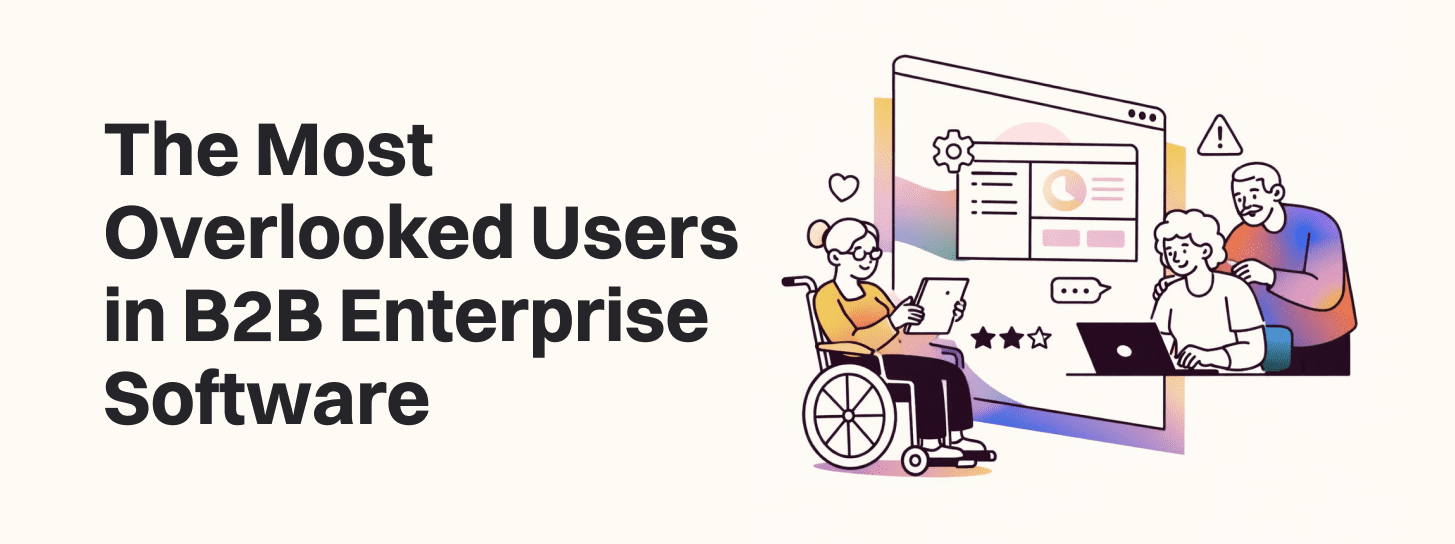
Enterprise systems almost never serve a single, uniform user group. Designing for a vague “user” is a recipe for operational failure. Effective B2B software must cater to an entire ecosystem of specialized roles, many of whom are entirely overlooked during the design phase.
In many B2B applications, the administrator is the most critical yet most ignored persona. While an analyst might use a dashboard once a week, an administrator is responsible for configuration, access control, and ensuring data accuracy across thousands of records. If the admin interface is poorly designed, it leads to “rubber-stamping”—where admins approve risky permissions or ignore critical alerts simply because the interface is too cumbersome to navigate.
For organizations subject to SOC2, SOX, ISO, or HIPAA, the auditor is a primary stakeholder. These users are not looking for “delight”; they are looking for evidence. They need comprehensive audit trails, exportable reports, and clear logs of “who did what and when”. When design ignores these requirements, audit cycles become slow, stressful, and expensive drains on resources.
Frontline staff—whether they are in manufacturing, logistics, or healthcare—interact with software in high-pressure, repetitive environments. For these users, every extra click or laggy interface element is a direct tax on productivity. They often face the “Achilles heel” of enterprise implementation: systems that focus on technical objectives while downplaying the human factors of the work environment.
Research suggests that organizations should also consider “non-customer” personas. “Edge” users are those who use the product in unintended ways, while “Unknown” users are segments the company hasn’t even considered. Mapping these can help define new markets and prevent workarounds from becoming systemic risks.
Poor usability in enterprise software is not merely a matter of employee annoyance; it is a significant financial liability. When usability is treated as a subjective preference rather than a measurable operational variable, leadership misses the quiet erosion of productivity.
Enterprise UX frequently fails due to information overload. In an attempt to provide full visibility, many platforms present dense screens packed with competing signals. This creates cognitive strain, slowing task execution and increasing error rates. Decision fatigue builds as employees expend mental effort on micro-decisions that should be automatic, such as identifying the next logical action.
Organizations can track the impact of poor design through specific metrics:
Time-on-Task: How long it takes to complete a core workflow.
Error Rates: The frequency of data entry mistakes or process failures.
Support Ticket Volume: The number of inquiries related to system navigation.
Time-to-Proficiency: How long it takes a new hire to master the tool.
| Metric | Impact of Bad UX | Benefit of Good UX |
| Training Costs |
Longer cycles; heavy reliance on support |
Faster onboarding; reduced documentation |
| Employee Satisfaction |
Frustration, burnout, higher attrition |
Improved morale; reduced turnover |
| Data Integrity |
High error rates; manual workarounds |
Accuracy; single source of truth |
| Competitive Edge |
Slow execution; missed opportunities |
Innovation; faster response to markets |
Investing in UX is statistically proven to be lucrative. Every dollar spent on user experience can yield a return of $100, largely through the reduction of rework and the improvement of operational efficiency. For example, rapid research frameworks can help identify these friction points before they become baked into the product’s architecture.
One of the most common debates among product leaders is whether to use Jobs-to-be-Done (JTBD) or Personas. The reality is that for B2B enterprise software, a hybrid approach is often necessary to capture the full scope of user needs.
JTBD focuses on the outcome a user is trying to achieve—the “job” they are “hiring” the software to do. This framework is particularly effective for new product discovery and market expansion. It reveals the functional, emotional, and social motivations that drive someone to switch from a legacy system to a new solution.
Example: A sales rep doesn’t just want a CRM; they “hire” a CRM to prioritize hot leads automatically so they can hit their quota without burnout.
Personas are archetypical representations of user segments based on qualitative and quantitative data. They are essential for aligning cross-functional teams and making abstract data tangible. In B2B, personas must be role-specific and capture the professional responsibilities and constraints of the user.
Example: “Raj, the enterprise PM,” who is drowning in reports. This persona helps designers decide to nix bloated dashboards in favor of at-a-glance metrics.
Teams often start with JTBD for strategic direction and then transition to personas for detailing and execution. By infusing personas with “job statements,” product leaders can ensure that the “who” is always anchored in a clear “why”. This approach is particularly effective for complex SaaS products like HubSpot, which uses both to tailor content and functionality to different segments.
Founders and product managers often fall into traps that compromise the long-term viability of their products. These “mistakes” are frequently the result of being too close to the project or prioritizing internal opinions over external evidence.
Teams that know their product inside out often build interfaces that are intuitive to them but leave new users lost. There is a tendency to “live inside Jira and Trello,” focusing on completing tasks rather than observing how customers actually interact with the product.
A dangerous UX mistake is treating professional users as if they are unintelligent. Professional users are intelligent but focused on time management. They don’t want “simplified” tools that hide critical functionality; they want clarity and efficient workflows. Condescending design or inconsistent nomenclature (e.g., using “favorite” and “starred” interchangeably) only increases friction.
The “Aha! moment” is critical. If a user is dropped into a dense dashboard and expected to figure things out under time pressure, 66% will stop making new purchases after that poor onboarding. Heavy onboarding screens, mandatory text-heavy tutorials, and intrusive popups often block users from finding immediate value.
A single poorly designed form can ruin a positive UX journey. Whether it is a sign-up process or an enquiry form, complexity leads to abandonment. Minor changes in form design, such as clearer error messages or action-driven buttons (e.g., “Create My Project” instead of “Submit”), can significantly boost conversion and adoption.
Only 2% of product managers conduct user research for product design idea validation, while 86% are inspired by personal pain experiences. This “inside-out” decision-making excludes real user data and leads to highly opinionated, biased designs that fail in real-world environments.
A successful enterprise product requires more than a one-time redesign; it requires a commitment to UX as an ongoing capability. This involves establishing feedback loops and utilizing tools that allow for continuous discovery.
User feedback is the cornerstone of effective development. It provides direct insights into preferences and pain points that analytics alone might miss. Methods like focus groups and focus groups offer reactive insights, while proactive methods like usability testing observe users in real-time to identify bottlenecks.
Modern research teams use a suite of tools to stay aligned with user needs:
Looppanel: Used by Redbaton researchers like Trisha Singh to shorten the time needed for qualitative analysis from weeks to just days.
Hotjar: Provides heatmaps and session recordings to visualize where users are clicking and scrolling.
Maze: Enables rapid testing and AI-powered summarization of user insights.
BuildBetter.ai: Automates the creation of polished reports, personas, and call analyses, saving thousands of dollars annually per researcher.
Not all feedback is equal. A skilled UI/UX developer must distinguish between isolated complaints and widespread concerns. By categorizing feedback into themes—usability issues, feature requests, or design preferences—teams can prioritize the most impactful changes. This is how agencies like Redbaton help clients turn research outputs into roadmap priorities, ensuring that every design decision drives business growth.
As we move toward 2026, enterprise software is undergoing a transformation driven by AI and a renewed focus on “consumerization.” However, true consumerization requires more than just a flatter UI; it requires rethinking how complex business processes are translated into software interactions.
AI is no longer just a trend; it is becoming a core component of enterprise UX. From predictive search and automated task suggestions to real-time transcription and sentiment analysis, AI tools are cutting operational tasks by up to 40%. The goal is to move from reactive tools to proactive systems that anticipate user needs and reduce cognitive load.
To support the increasing complexity of B2B SaaS, companies must invest in modular, role-based interfaces that adapt to different users while preserving a cohesive experience. A robust design system ensures that as the product scales, the interface remains consistent and the learning curve stays manageable.
Despite the rise of automation, the human element remains paramount. Organizations that focus too much on the technical aspects of implementation, while downplaying the human ones, will continue to struggle with adoption. Successful digital adoption requires clear communication, sustained leadership support, and a plan to motivate users through positive reinforcement rather than just mandate.

Q1: Why is enterprise software typically so difficult to use compared to consumer apps?
Enterprise software often prioritizes feature richness over usability to win procurement bids. Additionally, these systems must handle complex business logic and mission-critical data, which leads to bloated interfaces if not managed through a clear UX strategy.
Q2: How can we overcome resistance to change among employees?
Resistance often stems from a fear of job security or worries about competency. Companies should use clear communication, provide continuous training rather than one-off sessions, and show users how the new technology specifically solves their daily pain points rather than just doing a “hard sell” of benefits.
Q3: What are the risks of using inaccurate or fictional personas?
Personas based on assumptions rather than field research can be catastrophic. They lead to “single-use” designs that don’t reflect actual user goals or behaviors, undermining the credibility of the design process and leading to products that miss the mark.
Q4: How does a UX strategy prevent wasting time and money?
A strategy provides clarity and transparency before design begins. It helps teams agree on realistic choices and prioritize the right problems, preventing the development of features that no one will use.
Q5: What is the benefit of a “Jobs-to-be-Done” approach over traditional demographics?
JTBD is “timeless” because it ignores demographics like age or job title and focuses on the underlying motivation for using a product. This allows teams to find “blue ocean” opportunities and craft messaging that resonates with the user’s desired progress.
In the high-stakes environment of enterprise software, the cost of a bad first impression is exceptionally damaging. The B2B segment doesn’t just demand a functional product; it demands a system that respects the intelligence and time of the professional workforce. When a product fails, it’s rarely because the code was broken. It’s because the developers were “designing for the team,” the PM was “living in Jira,” and the procurement team was “treating software as a commodity”.
The challenge for founders and decision-makers is to stop viewing UX as a cosmetic layer and start treating it as an operational priority. True digital transformation happens at the keyboard of the frontline worker and in the reports of the compliance auditor. If those users are neglected, your ROI is a fiction.
The question is no longer whether your software can perform a thousand functions. The question is whether your most overlooked users can perform their one job without the system getting in their way. If you aren’t talking to your customers daily, you aren’t building a product; you’re building a monument to your own assumptions. It is time to get out of Jira and into the work environment.
Explore more in the complete Red Baton design library — every article, grouped by topic.


