



Email Icon

The Most Overlooked Users in B2B Enterprise Software

Dec 24, 2025

UI UX Design UX/UI web development
The Most Overlooked Users in B2B Enterprise Software

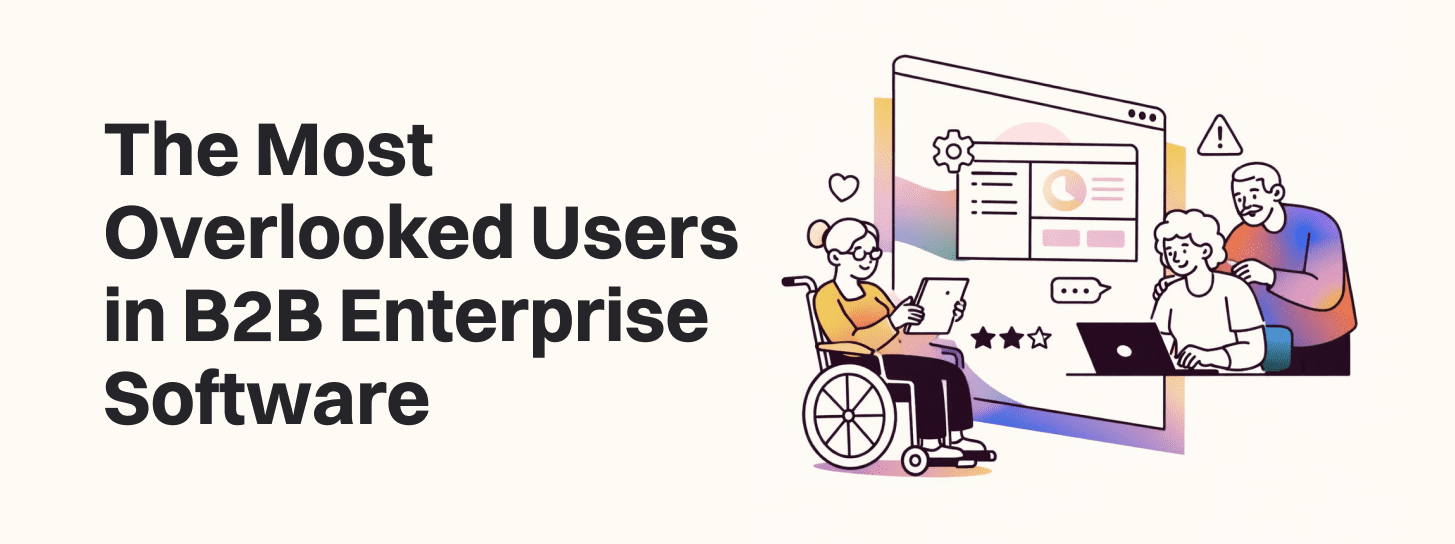
Most enterprise platforms are built for the people who sign the contract, not the people who actually live in the UI eight hours a day. That gap between buyer and real enterprise software users quietly kills adoption, drives shadow workflows, and erodes ROI.

The B2B User Myth

In complex B2B environments, teams often treat the “customer” as the economic buyer (CIO, VP, Head of Operations) or the admin who configures the system. Enterprise UX personas then over-index on these roles, assuming their needs represent the whole organization.

This single-persona thinking creates a false sense of simplicity: one core persona, one set of journeys, one neat value story. In reality, B2B user types span a web of internal vs external users—operators, reviewers, partners, auditors—each with different goals, incentives, and constraints. When roadmaps only reflect buyer needs, usage stalls after launch and “value realization” never materializes.

The Most Overlooked Users in Enterprise Software

Frontline operators

These are the people doing the actual work: sales reps in CRMs, claims processors in insurance tools, support agents in ticketing systems, dispatchers in logistics platforms. They care about speed, cognitive load, and how tools fit into their day-to-day workflow.

Ignore them and you see:

  • Workarounds in spreadsheets and side tools
  • Partial data entry (“I only fill what my manager checks”)
  • Quiet resistance to new rollouts, even when leadership pushes hard

Middle managers and reviewers

These users approve, review, and monitor work—team leads, regional managers, finance approvers. They live in dashboards, queues, and exception flows, not in the glossy main journey.

Designing only for admins means:

  • Review queues that don’t reflect real prioritization rules
  • No clear way to manage edge cases or reassign work
  • Leaders exporting data to PowerPoint or Excel to make sense of it

Support, compliance, and audit users

These roles rarely appear in initial enterprise UX personas, but they are the ones asked to “clean up” after the system: support teams handling tickets, compliance officers checking access and logs, auditors validating trails.

When they’re invisible:

  • Logs are technically present but unusable for real investigations
  • Permissions models don’t match policy reality
  • Every audit or incident response becomes a fire drill with manual digging

Occasional and edge-case users

Think contractors, temporary users, executives who log in once a quarter, or partners who only touch a subset of flows. They’re easy to dismiss as “edge cases” but often block key processes.

If they’re not designed for:

  • Onboarding/confusion destroys self-serve potential
  • Critical flows (like approvals or sign-offs) get stuck on “that one person who never logs in”
  • IT and ops teams spend disproportionate time hand-holding or bypassing the system

Why Enterprise UX Personas Often Fail

Traditional enterprise UX personas are usually static documents built at the start of a project and rarely revisited. They describe role, seniority, and high-level goals, but miss the real mechanics of work: systems used, handoffs, compliance constraints, and political incentives.

Common failure modes:

  • Personas describe “Admin Alice” and “Buyer Ben” but omit “Operator Omar” or “Reviewer Rita.”
  • They capture what people say they do, not what they actually do under pressure or in end-of-quarter crunch.
  • They lack context about KPIs, SLAs, and regulatory requirements that shape behavior.

To stay useful, enterprise UX personas should evolve into living, workflow-grounded artifacts:

  • Explicitly document upstream and downstream dependencies (“who hands work to whom?”)
  • Capture incentives and constraints (“measured on handle time,” “cannot change data after approval”)
  • Tie to specific screens, flows, and systems (“uses CRM + email + legacy tool X daily”)

Frontline User Research: What Teams Miss

In enterprise contexts, getting to frontline user research is hard: access is controlled by champions, schedules are packed, and managers worry about “disruption.” So teams default to buyer/admin interviews and analytics.

What gets missed without direct frontline contact:

  • Real task sequences (“I actually open three tools before I touch this system”)
  • Informal workarounds (Slack messages, screenshots, side docs)
  • Emotional texture: frustration points, moments of pride, and fear of making mistakes

Dashboards can show slow task completion or high error rates, but they cannot reveal:

  • That field labels don’t match internal jargon
  • That users are scared to click a button because it looks “too permanent”
  • That people rely on a senior colleague as the “real UI” who tells them what to click

Teams that commit to even a handful of well-run frontline sessions quickly see why their “intuitive” designs aren’t landing.

Designing for B2B User Types, Not Just Buyers

Moving beyond buyer-centric design means explicitly mapping B2B user types across three axes: influence, usage, and pain.

  • Influence: Who shapes buying and renewal decisions? (buyers, champions, security, finance)
  • Usage: Who touches the system daily, weekly, quarterly? (operators, managers, auditors)
  • Pain: Where is friction highest—setup, daily use, reporting, compliance?

Practical steps:

  • Build a simple map listing internal vs external users (employees, partners, vendors, customers) and their core tasks.
  • For each role, list “what success means” in that person’s language (e.g., “few escalations,” “clear audit trails,” “no late approvals”).
  • Mark roles whose needs are currently “inferred” rather than researched—these are your biggest risk zones.

This perspective shift alone often explains adoption gaps: the people with the most daily usage had the least design input.

From Insight to Impact

Identifying overlooked users is only useful if it changes the roadmap. The key is translating these insights into clearly framed, high-leverage bets.

Examples:

  • Frontline operators struggling with data entry → roadmap bet on streamlined forms, defaults, and bulk actions → measurable reduction in task time and errors.
  • Compliance teams unable to reconstruct activity → bet on better audit views and exportable logs → lower investigation time and reduced risk.
  • Occasional executives confused by dashboards → bet on tailored “summary views” → higher leadership engagement and less custom reporting work for teams.

When framed in terms of reduced workflow friction, lower support cost, and smoother change management, these “non-primary user” initiatives become easy to defend in front of finance and leadership.

How to Identify and Prioritize Hidden Users

You don’t need a massive program to start; you need a systematic lens.

Practical techniques:

  • Stakeholder mapping workshops: Involve Sales, Customer Success, Implementation, and Support. Ask: “Who actually touches this system before, during, and after go-live?”
  • Journey mapping across roles: For a core workflow (e.g., “create and approve a contract”), map every handoff and role. Edge-case users pop out naturally.
  • Support and implementation reviews: Analyze tickets and project retros to see which roles cause delays or confusion—those often represent poorly served personas.

Once identified, prioritize hidden users by their leverage:

  • Frequency of interaction (daily operators vs one-off observers)
  • Impact on success metrics (can they stall approvals, introduce risk, or break data quality?)
  • Influence on adoption (do others copy their behavior or follow their lead?)


Conclusion

Enterprise UX isn’t about a single “admin persona”; it’s multi-role system design across a network of B2B user types. Ignoring non-primary users in B2B leads to brittle rollouts, slow adoption, and disappointing ROI—even when the buyer is thrilled.

By expanding research to include frontline operators, middle managers, support, compliance, and occasional users, product teams can design platforms that fit real workflows and real constraints. That shift—from buyer-centric to ecosystem-centric design—turns “we bought the tool” into “we actually use and value the tool